



FlexDeploy 10.0 introduces the Deployment Audit Report and enhanced PDF export functionality. These updates simplify compliance, improve transparency, and streamline reporting for your deployment processes.
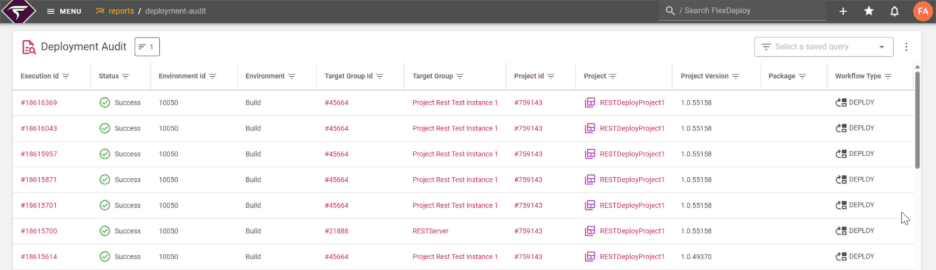
What is the Deployment Audit Report?
The Deployment Audit Report provides a comprehensive audit trail for all Deploy and Utility executions within FlexDeploy. It functions as a centralized source of truth, answering key questions for audit and compliance teams.
Key Features of the Deployment Audit Report:
- Core Deployment Details: Shows who performed the deployment, what was deployed, when it occurred, and related metadata.
- Approval and Scheduling Information: Includes data from external change-management systems.
- Detailed Deployment Insights: Lists all files, work items, and commits involved. It also incorporates results from custom gates in pipelines and highlights any schedule or gate overrides. For example, the report explicitly notes if a Quality gate was manually overridden, ensuring full transparency.
Enhanced PDF Export Functionality
FlexDeploy 10.0 provides three export formats for Deployment Audit Reports, making it easier to share, archive, and analyze deployment data. The data can be exported as a PDF Table, PDF Record, or CSV. All three formats are ideal for:
- Compliance and audit purposes
- Sharing deployment history with stakeholders
- Archiving deployment records
PDF Record Format:
This format allows any number of data columns to be displayed on any paper size, which is ideal for detailed records.
PDF Table Format:
The Table format displays data in a fixed row and column layout with a column limit per page size for readability.
CSV Format:
The CSV format is convenient for opening and editing data in Excel.
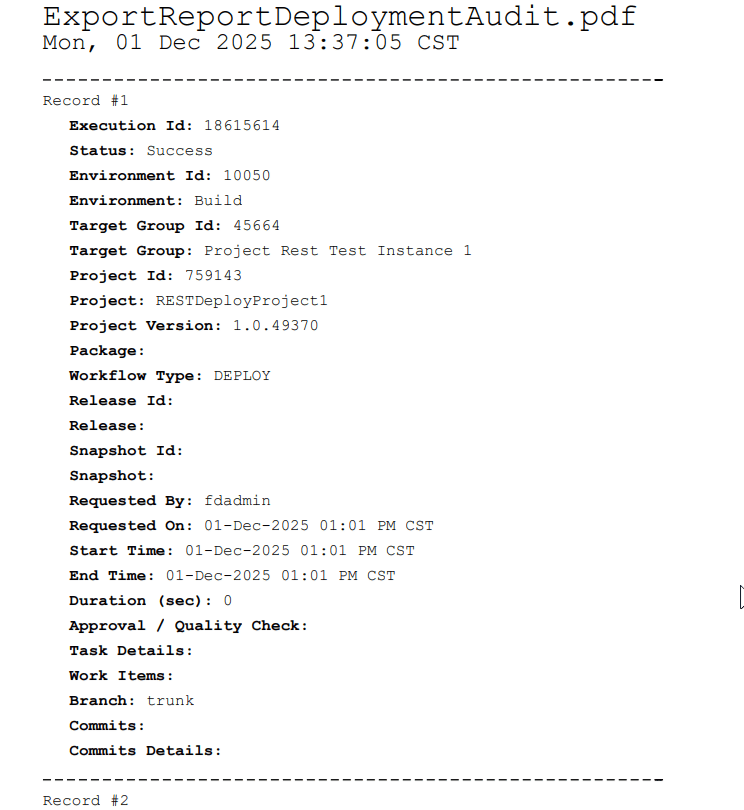
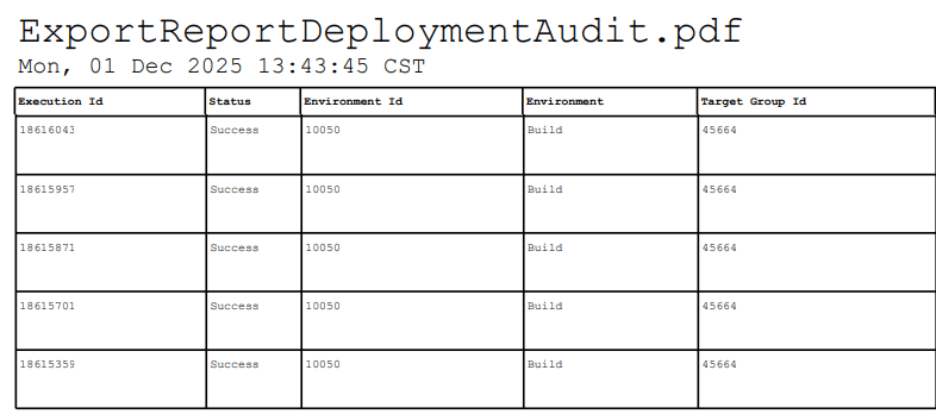
CSV Format is convenient to open edit in Excel to work with the exported data

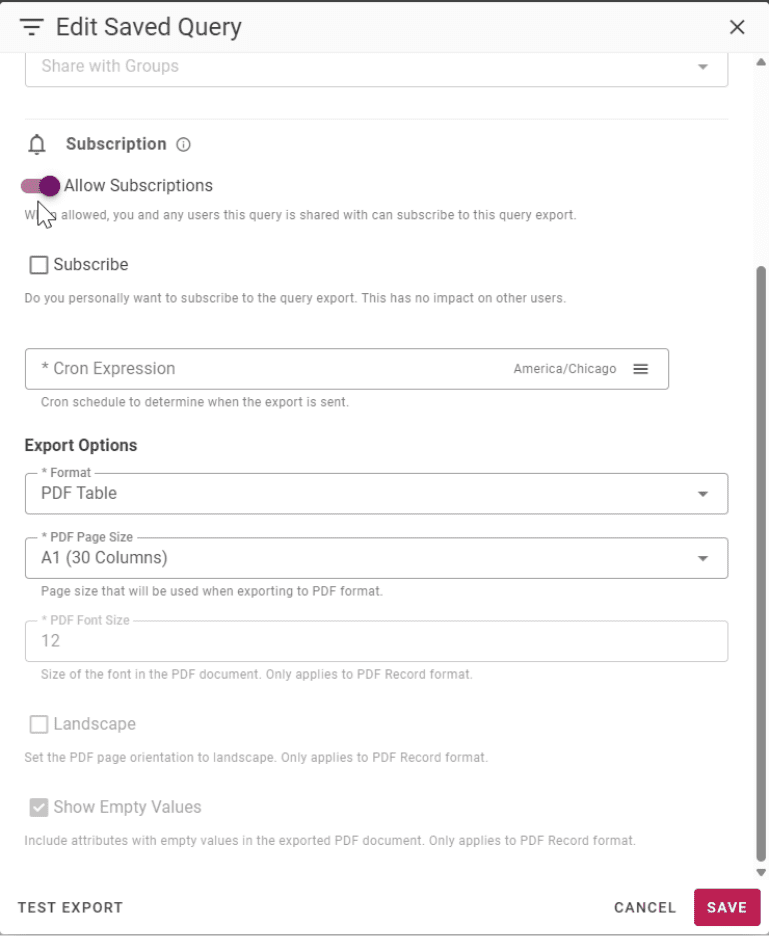
Furthermore, all three formats can be configured for subscriptions.
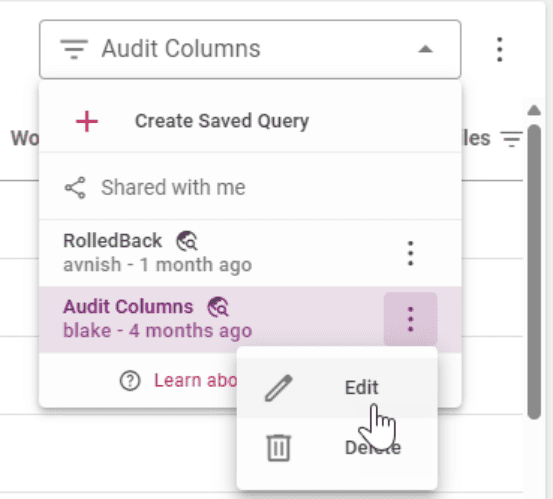
Automate Reporting with Subscriptions
All FlexDeploy reports, including the Deployment Audit Report, can be set up with subscriptions. This feature allows you to:
- Schedule exports at regular intervals.
- Automatically email reports to stakeholders.
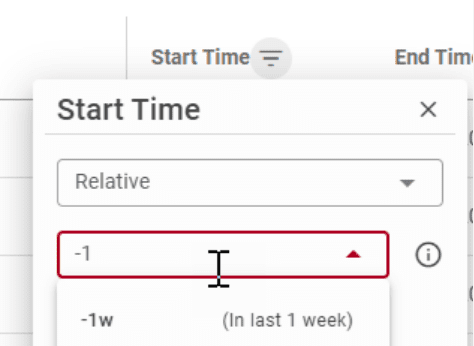
- Use relative dates to export specific data ranges.
This automation ensures stakeholders have access to the latest deployment data without manual effort.
Why the Deployment Audit Report Matters
The Deployment Audit Report and enhanced export functionality provide significant benefits:
- Transparency: Every deployment is documented in detail.
- Compliance: Easily store and share reports for audits.
- Simplicity: Export reports with one click for offline review and archiving.
FlexDeploy 10.0’s Deployment Audit Report is the solution for maintaining compliance, improving transparency, and simplifying deployment reporting.